Touch to buy
Contact us now to learn more and get started with your software solution.
Secure Data
Our software ensures secure data handling through end-to-end encryption and robust access controls.
Cross-Platform
Our software is designed for seamless performance on both mobile and desktop platforms.
User-Friendly
Designed with users in mind, it’s easy to navigate and simple to use.
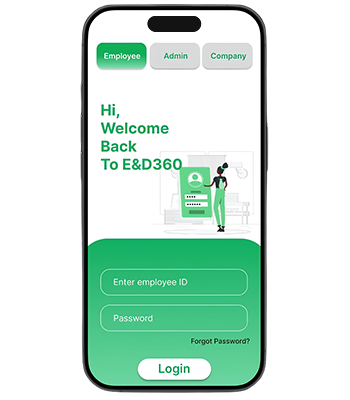
E&D 360 Welcome
Unique Referral Code/Link: Each user gets a personalized referral code or link to share.
Multi-Level Referral (Optional): Users earn bonuses when their referrals invite others.
Easy Sharing Options: Share referral links via WhatsApp, email, SMS, and social media
Dual Rewards System: Both the referrer and referee get benefits (e.g., discounts, cash rewards, credits).
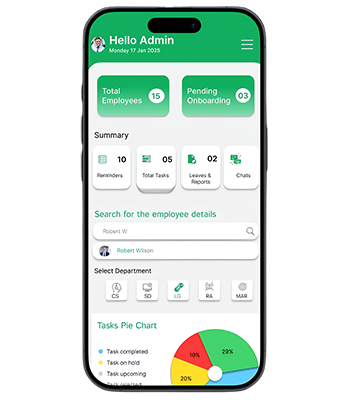
E&D 360 Admin
Supplier Directory: Maintain a centralized directory of all suppliers with detailed profiles, including contact information payment terms.
Supplier Categories: Organize suppliers into categories like Parts Suppliers, Service Providers for easier management.
Supplier Overview Dashboard: A central dashboard where users can view key metrics for all suppliers, including performance, open orders, inventory status, and financial details.
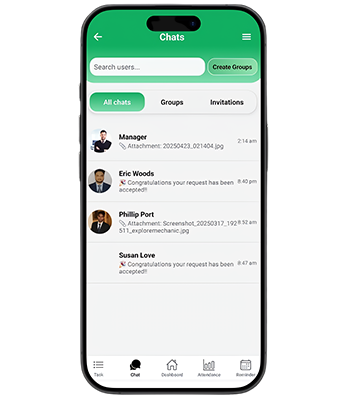
E&D 360 Chat
Supplier Directory: Maintain a centralized directory of all suppliers with detailed profiles, including contact information payment terms.
Supplier Categories: Organize suppliers into categories like Parts Suppliers, Service Providers for easier management.
Supplier Overview Dashboard: A central dashboard where users can view key metrics for all suppliers, including performance, open orders, inventory status, and financial details.
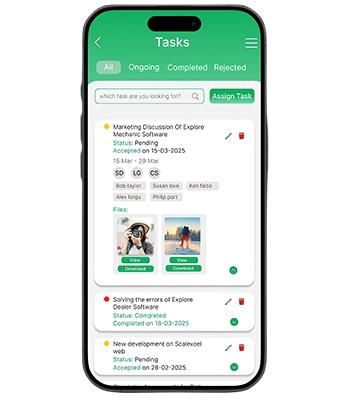
E&D 360 Task
Supplier Directory: Maintain a centralized directory of all suppliers with detailed profiles, including contact information payment terms.
Supplier Categories: Organize suppliers into categories like Parts Suppliers, Service Providers for easier management.
Supplier Overview Dashboard: A central dashboard where users can view key metrics for all suppliers, including performance, open orders, inventory status, and financial details.
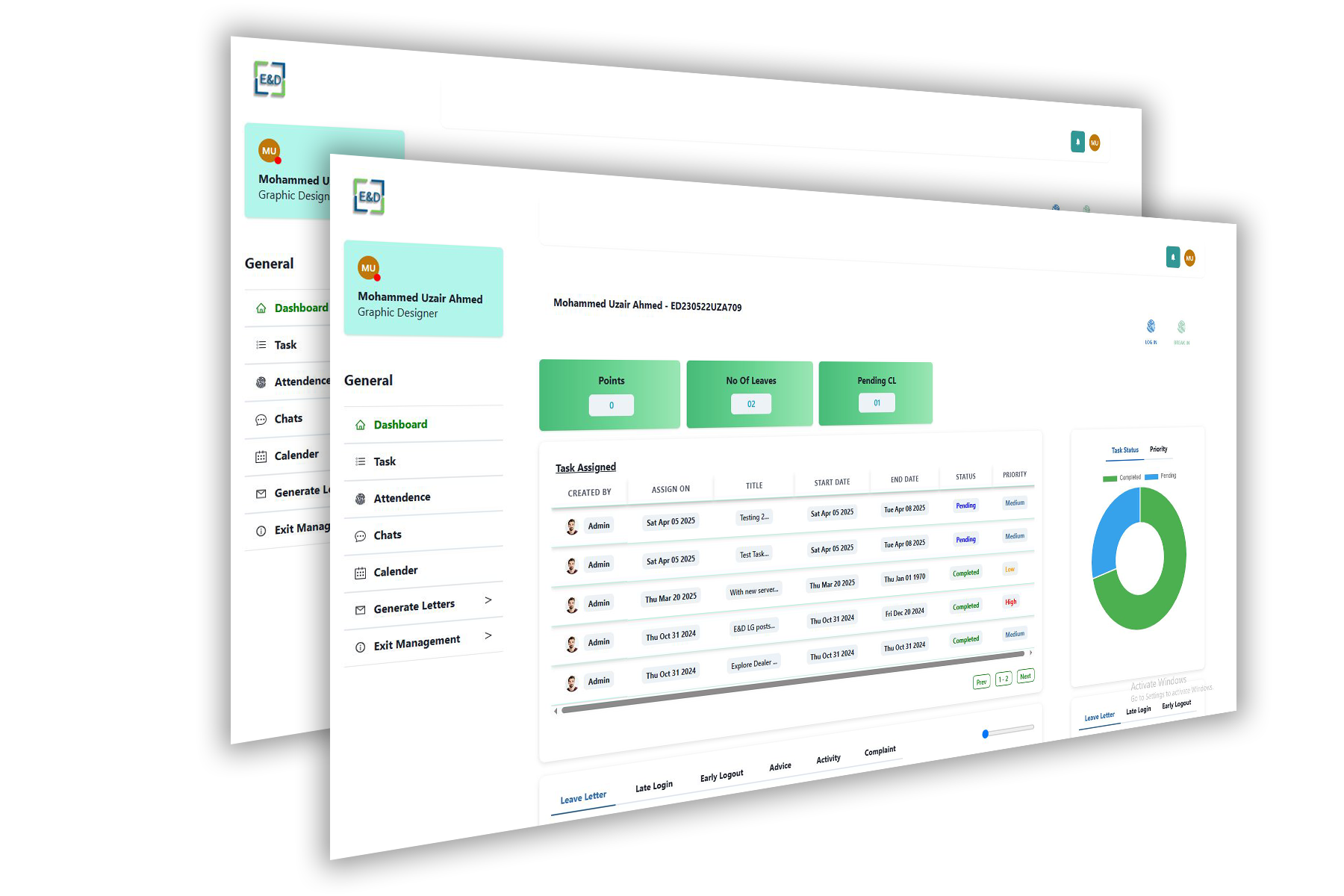
E&D 360 Dashboard
Stay organized and boost productivity with a smart task management system that keeps everyone aligned. Assign, track, and prioritize tasks effortlessly across teams. With real-time updates, attachments, and status controls, you stay in control from start to finish. Get more done—faster and smarter.
Task Management: Assign, monitor, and report tasks effortlessly — organized by department, team, or priority.
CRM & Client Handling: Track leads, schedule meetings, and manage client relationships from one easy dashboard.
Payroll Management: Automate salary processing with attendance data — accurate, quick, and hassle-free.
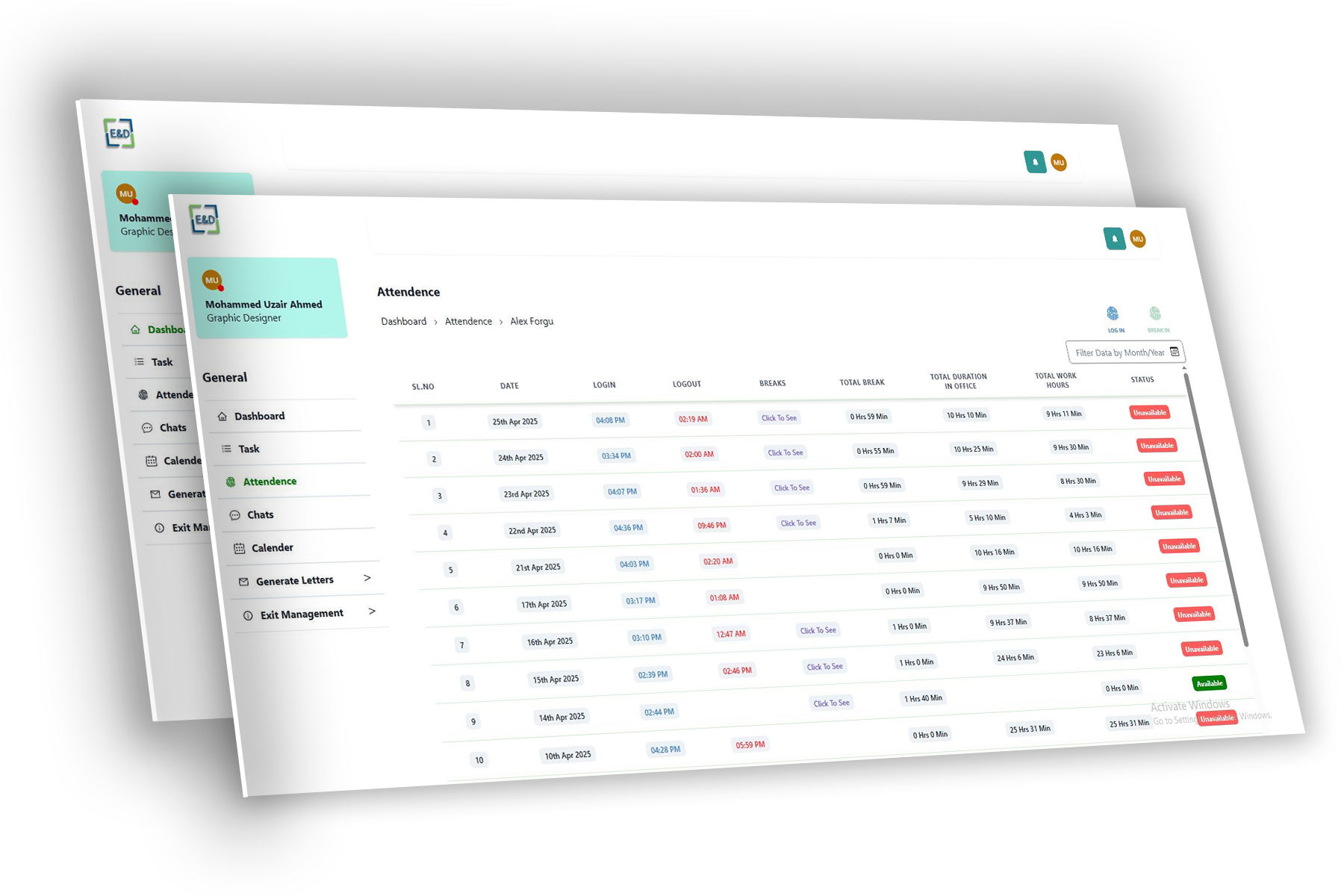
E&D 360 Attendence
E&D 360 is an all-in-one web-based solution designed to streamline employee operations and boost workplace efficiency. It empowers managers and employees through a user-friendly interface packed with essential features for day-to-day management.
Core Features:
Employee Login System: Secure, role-based login for admins, managers, and employees.
Attendance Management: Real-time tracking of check-ins and check-outs, with automated reports and summaries.
Break-In/Break-Out Logging: Employees can record their break times, giving managers insights into time utilization.
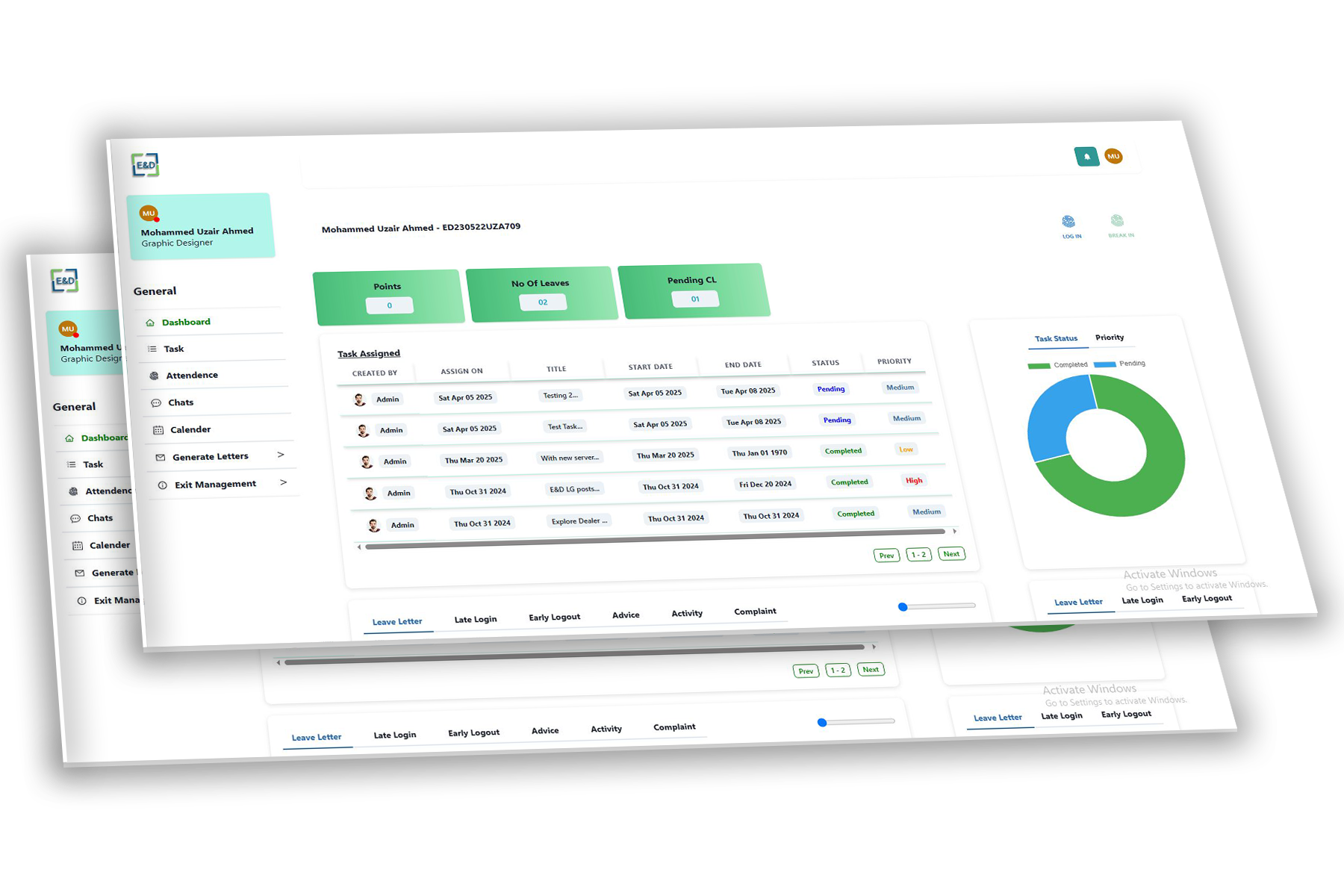
E&D 360 Dashboard
Internal Chat & Reminders: Empower seamless communication with built-in chat, group messaging, reminders, and file sharing.
Letter & Document Generator: Generate official letters (leaves, permissions, exit) with ease, and keep the process paperless.
Smart Dashboards: Visualize everything — from task completion rates to attendance graphs and chat request analytics.
Employee Management (HRMS)From onboarding to exit, manage your workforce with powerful attendance, leave, and performance tracking. Easily handle employee records, documents, and role assignments in one centralized system. Gain real-time insights into workforce productivity and streamline HR operations with automated workflows.
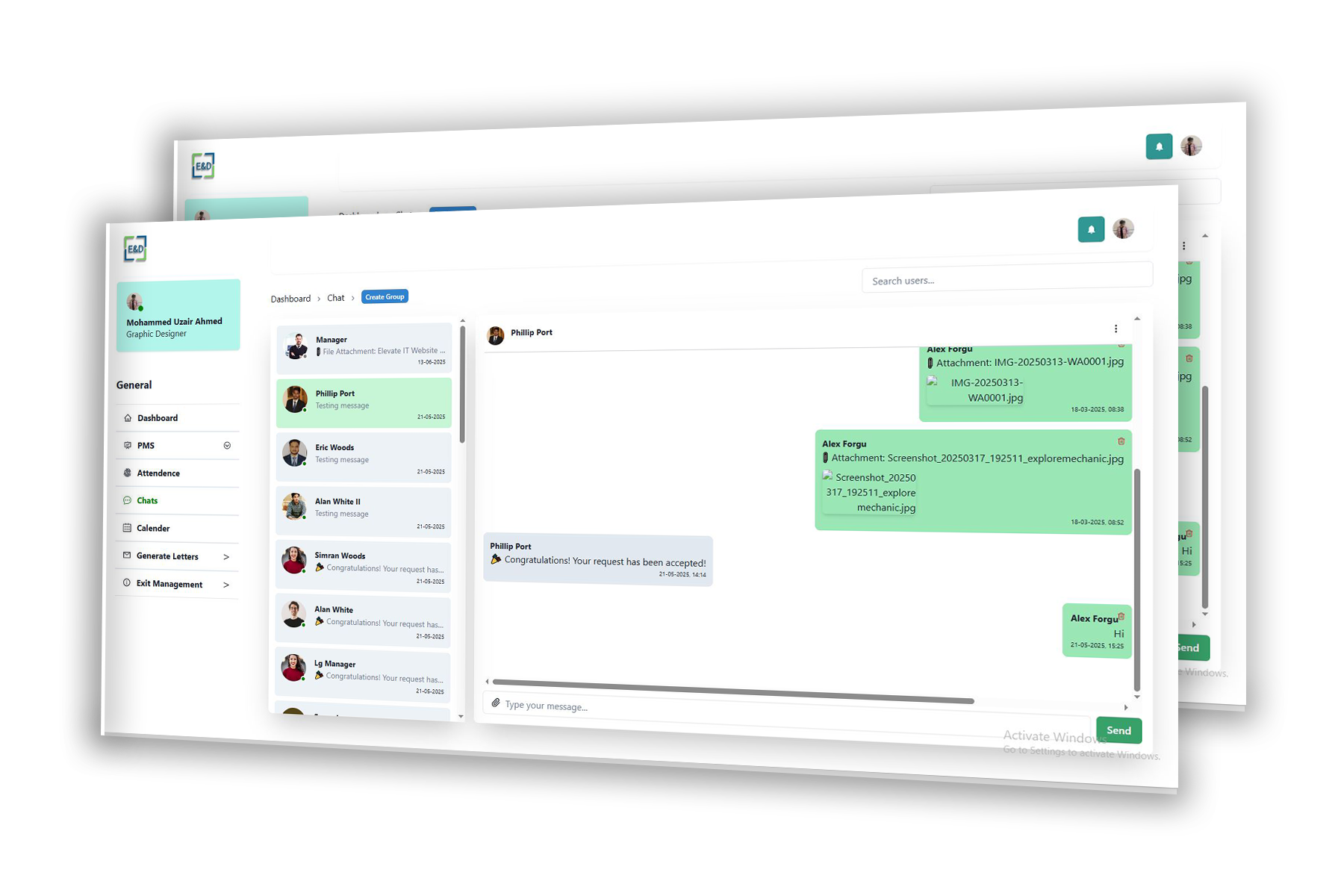
E&D 360 Chats
Internal Chat & Reminders: Empower seamless communication with built-in chat, group messaging, reminders, and file sharing.
Letter & Document Generator: Generate official letters (leaves, permissions, exit) with ease, and keep the process paperless.
Smart Dashboards: Visualize everything — from task completion rates to attendance graphs and chat request analytics.
Employee Management (HRMS)From onboarding to exit, manage your workforce with powerful attendance, leave, and performance tracking. Easily handle employee records, documents, and role assignments in one centralized system. Gain real-time insights into workforce productivity and streamline HR operations with automated workflows.
Home Page
Add Vehicle: Enter basic vehicle details (VIN, make, model, registration, etc.) and associate the vehicle with a specific garage or service center
Select Services: Choose from various services like maintenance, repairs, inspections, etc., and schedule the preferred service date and time.
Confirm Service Details: Review and confirm selected services, along with estimated costs, and proceed with payment
Service History & Reminders: Track the service history of the vehicle and set reminders for upcoming services or maintenance tasks
Notifications: Receive updates on service progres

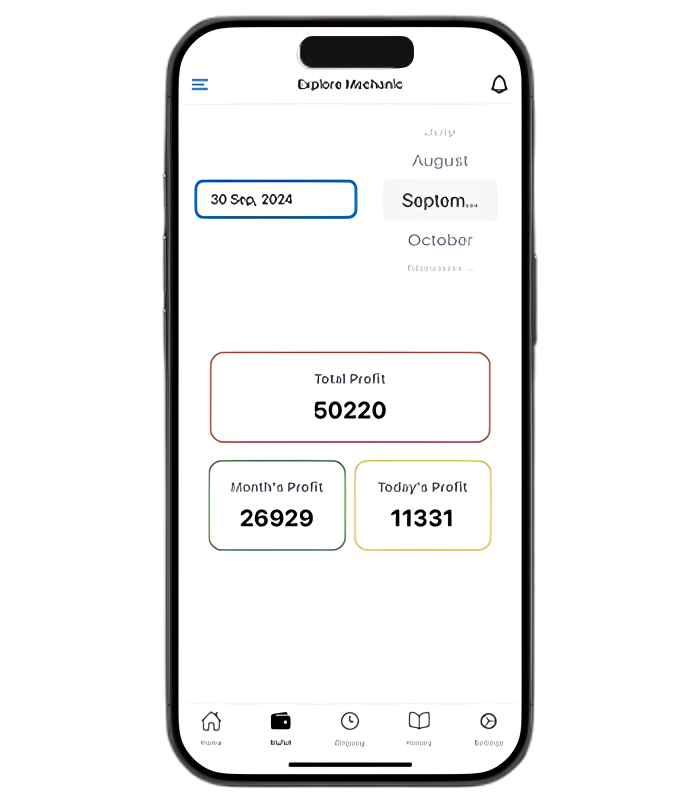
Wallet Management
Unified Dashboard: Users can view balances for Product Wallet, Service Wallet, and Total Wallet Balance.
Transaction History Keep a detailed log of all payments made through the wallet, including time, location, and the type of transaction.
Transaction Search & Filter: Provide users with search and filter options to quickly find past transactions (e.g., by date, merchant, or type of expense)
Suppliers
Supplier Directory: Maintain a centralized directory of all suppliers with detailed profiles, including contact information payment terms.
Supplier Categories: Organize suppliers into categories like Parts Suppliers, Service Providers for easier management.
Supplier Overview Dashboard: A central dashboard where users can view key metrics for all suppliers, including performance, open orders, inventory status, and financial details.
Refer & Earn
Unique Referral Code/Link: Each user gets a personalized referral code or link to share.
Multi-Level Referral (Optional): Users earn bonuses when their referrals invite others.
Easy Sharing Options:Share referral links via WhatsApp, email, SMS, and social media
Dual Rewards System:Both the referrer and referee get benefits (e.g., discounts, cash rewards, credits).
EM Dashboard
Explore Mechanic Web is a smart, browser-based solution for managing all aspects of automotive maintenance and services. Designed for convenience and efficiency, it allows car owners to keep track of their vehicle’s service schedules, receive automated SMS reminders, and manage payments through a built-in wallet feature.
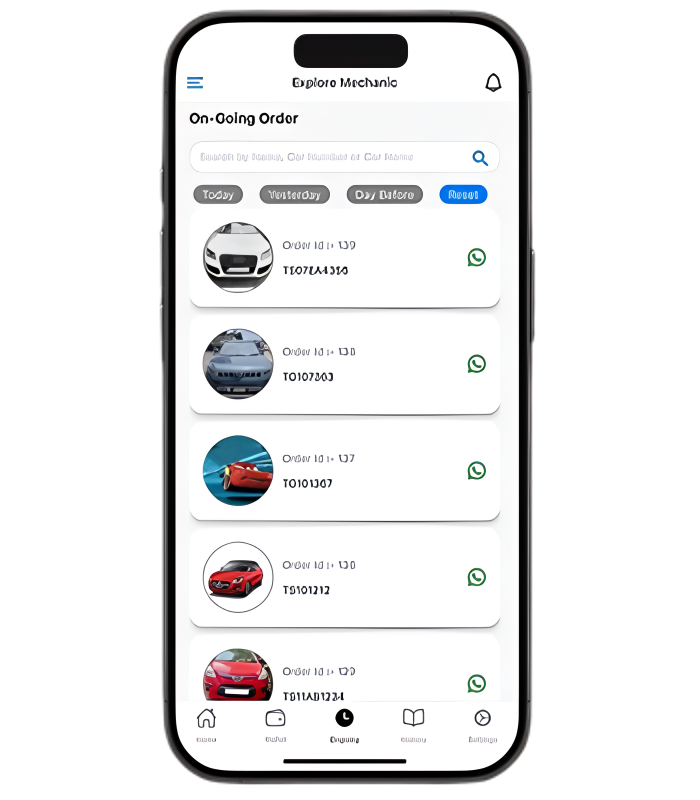
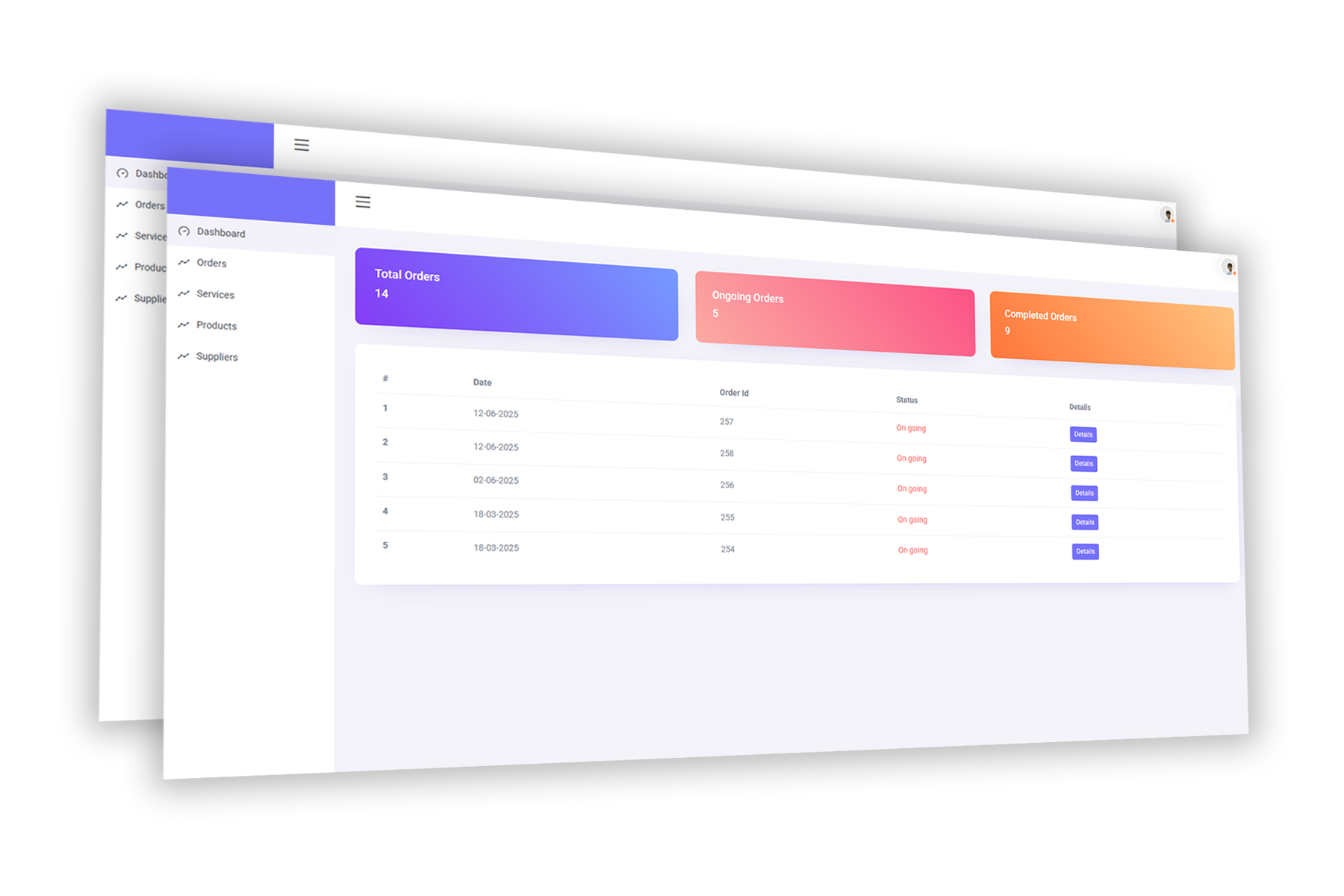
Description:This section allows users to track current and active service requests. Whether a vehicle is in the workshop or awaiting pickup, customers get live updates on the status of their orders.
Key Features:
Real-time updates on service progress (inspection, repair, testing).
Order details including assigned technician, estimated cost, and timeline.
EM Services
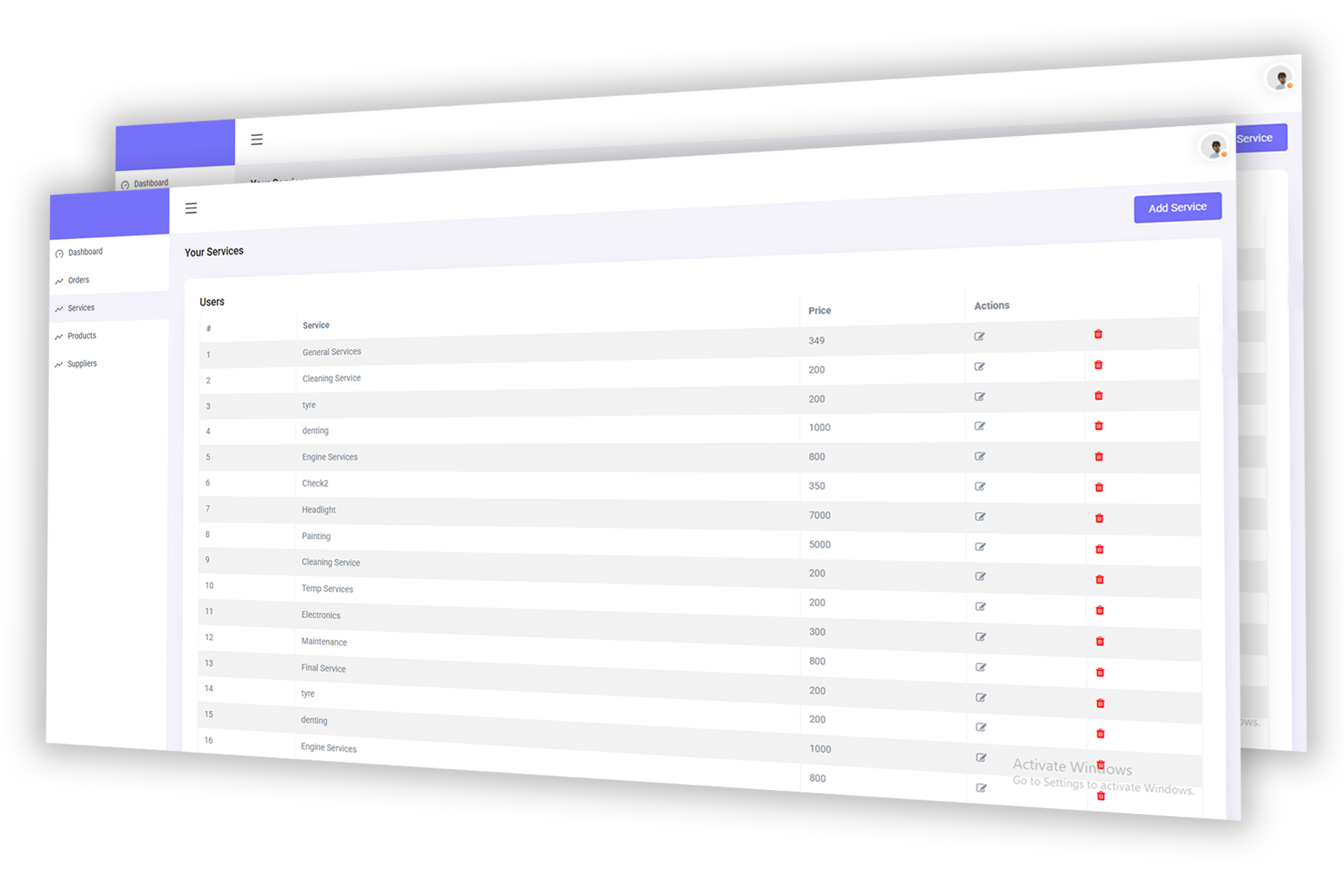
Description: This section gives customers real-time visibility into current car service orders and ongoing work status.
Key Features:
Live Service Status: View spare parts, oils, tires, and accessories with images and specs.
Live Service Status: Track job progress (Received → In Service → Completed).
Live Bill Estimation: Real-time product pricing, discounts, and stock levels.
Technician Assignment: Estimated time to complete each listed service.
Book Services Online: Instant booking via the dashboard.
EM Products
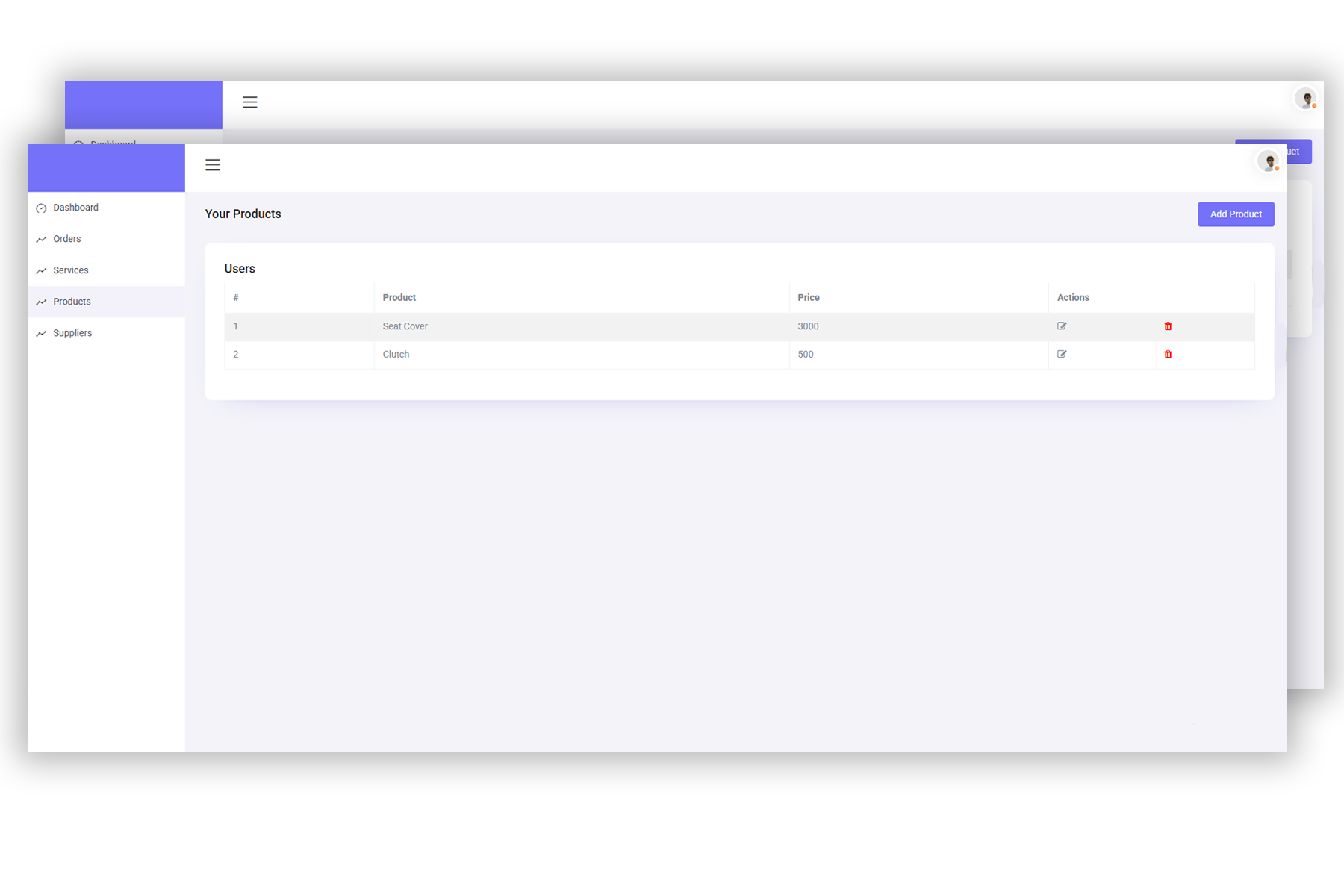
Description: Customers can browse, search, and get details about automotive products such as spare parts, accessories, or oils directly from the platform.
Key Features:
Product Listings: View spare parts, oils, tires, and accessories with images and specs.
Service Menu: Detailed descriptions of services like wheel alignment, oil change, diagnostics.
Pricing & Availability: Real-time product pricing, discounts, and stock levels.
Service Duration Info: Estimated time to complete each listed service.
Book Services Online: Instant booking via the dashboard.
EM Suppliers
Description: Manage payments, wallet balance, suppliers, and financial records in this section.
Key Features:
Wallet Management: Prepaid credit balance, transaction logs, and top-up options.
Bill Payment Tracking: View unpaid bills, payment status, and due dates.
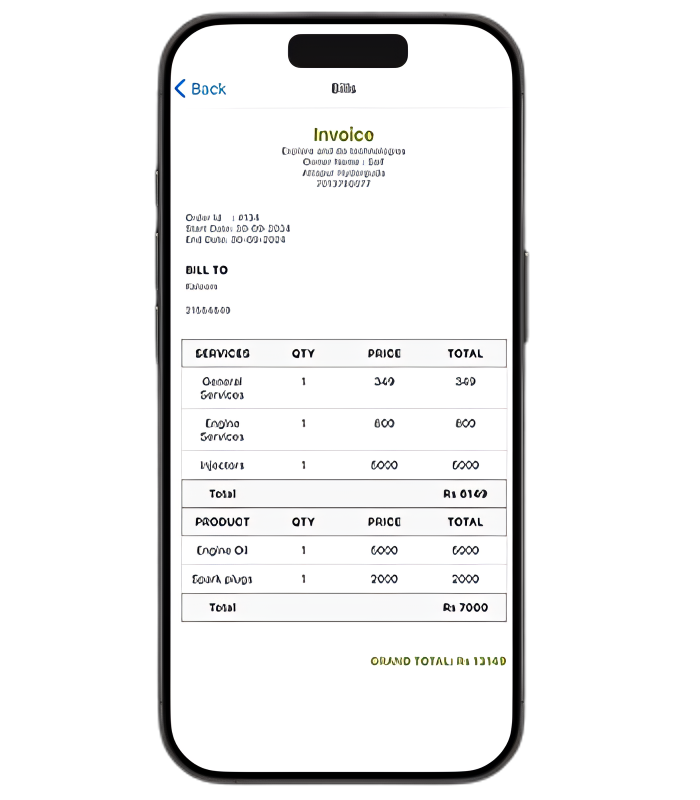
Invoice Generation: Auto-generate digital invoices linked to services.
Supplier Details: View approved supplier profiles, contact info, and products offered.
Financial Reports: Monthly spending summaries and downloadable statements.
Explore Dealer Welcome
Unique Referral Code/Link: Each user gets a personalized referral code or link to share.
Multi-Level Referral (Optional): Users earn bonuses when their referrals invite others.
Easy Sharing Options:Share referral links via WhatsApp, email, SMS, and social media
Dual Rewards System:Both the referrer and referee get benefits (e.g., discounts, cash rewards, credits).
.png)
Explore Dealer Wallet
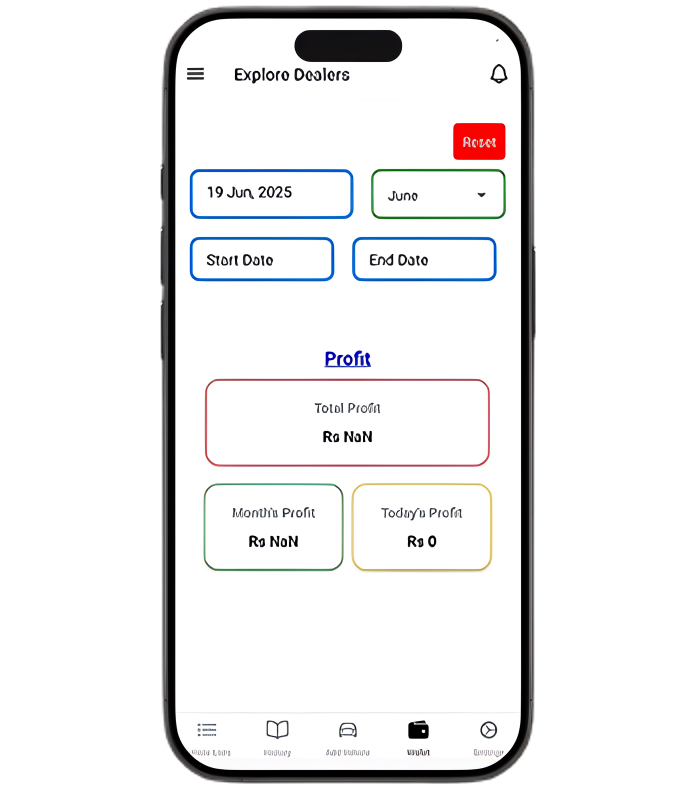
Supplier Directory: Maintain a centralized directory of all suppliers with detailed profiles, including contact information payment terms.
Supplier Categories: Organize suppliers into categories like Parts Suppliers, Service Providers for easier management.
Supplier Overview Dashboard: A central dashboard where users can view key metrics for all suppliers, including performance, open orders, inventory status, and financial details.
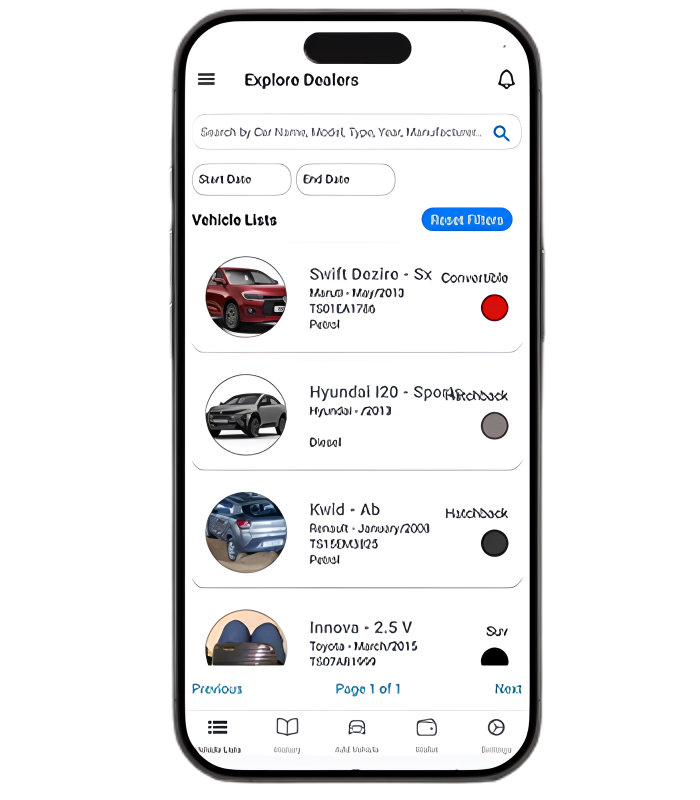
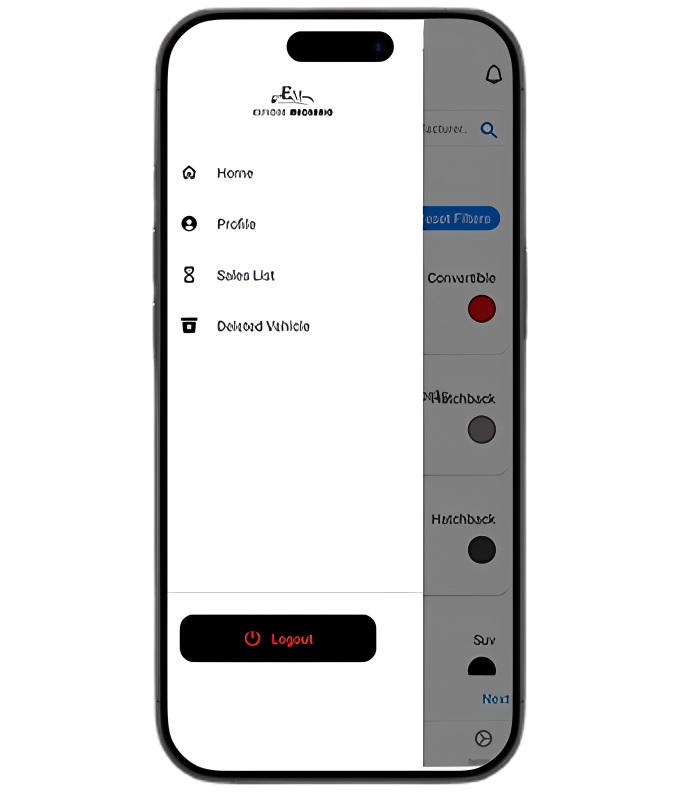
Explore Dealer Vehicles
Supplier Directory: Maintain a centralized directory of all suppliers with detailed profiles, including contact information payment terms.
Supplier Categories: Organize suppliers into categories like Parts Suppliers, Service Providers for easier management.
Supplier Overview Dashboard: A central dashboard where users can view key metrics for all suppliers, including performance, open orders, inventory status, and financial details.
Explore Dealer Task
Supplier Directory: Maintain a centralized directory of all suppliers with detailed profiles, including contact information payment terms.
Supplier Categories: Organize suppliers into categories like Parts Suppliers, Service Providers for easier management.
Supplier Overview Dashboard: A central dashboard where users can view key metrics for all suppliers, including performance, open orders, inventory status, and financial details.
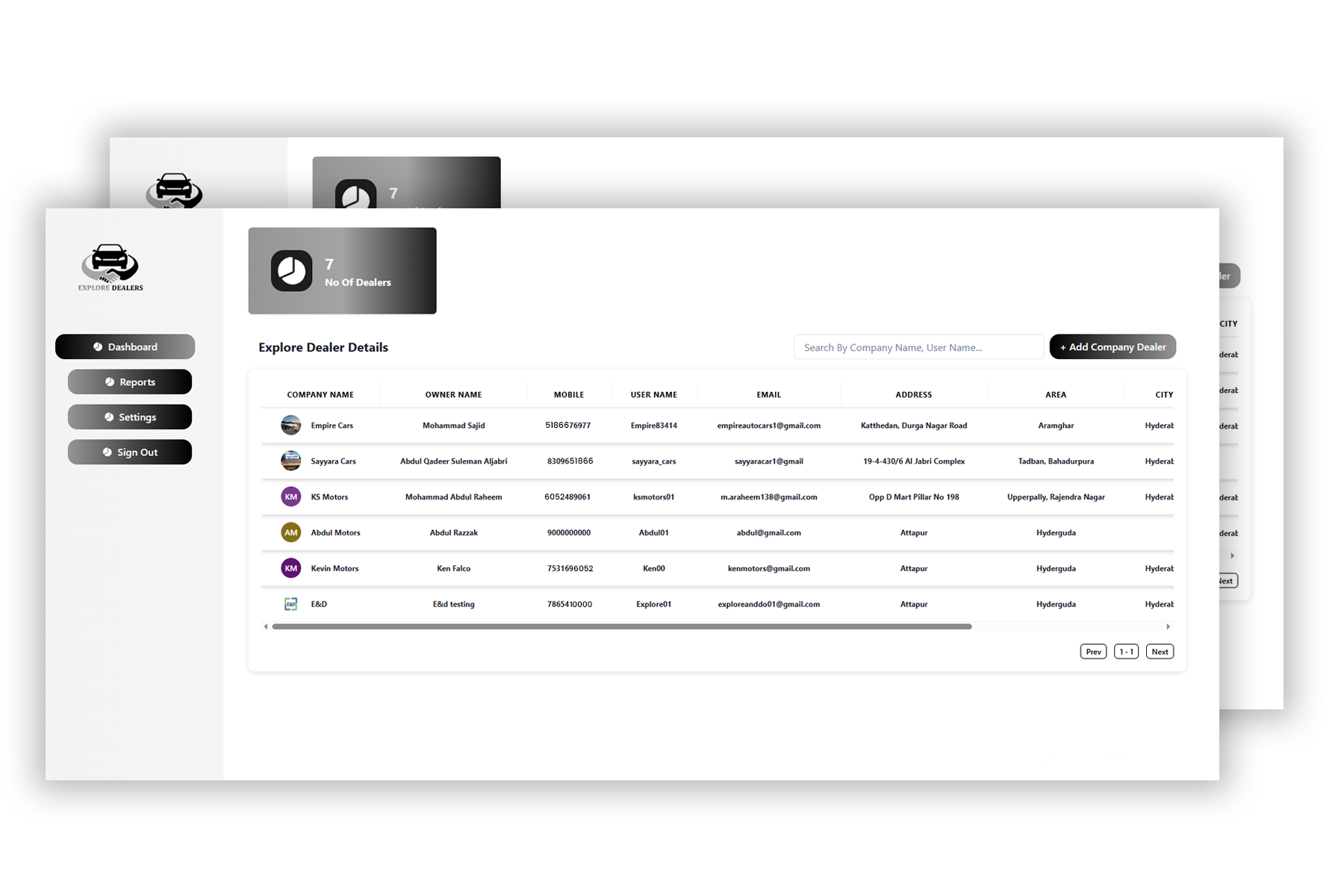
ED Dealership & User Management
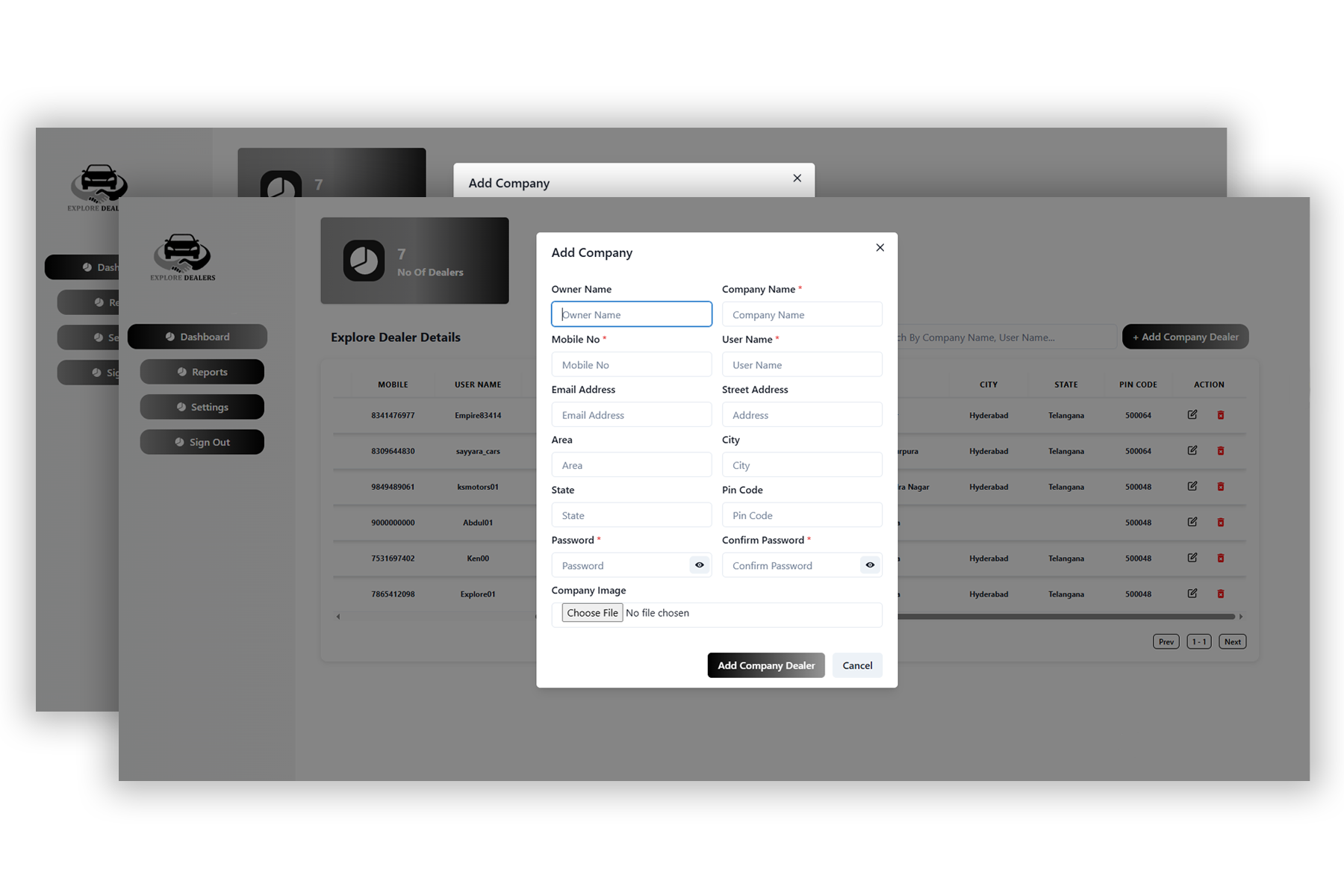
Explore Dealer helps streamline the administrative side of your dealership by centralizing all essential data about customers, sellers, and vehicle listings.
Customer Profiles:Record and access buyer details, purchase history, contact info, and preferences.
Seller Management: Keep organized records of car sellers, their listed vehicles, and performance.
Vehicle Listings: Order details including assigned technician, estimated cost, and timeline.
Sales Tracking: Monitor each sale from listing to final payment with real-time updates.
Role-Based Access: Admin, seller, and finance views to manage responsibilities securely.
ED Financial & Wallet Features
Handle dealership finances more efficiently with built-in digital wallet functionality and secure transaction logging.
Integrated Wallet System: Assign wallets to users (buyers, sellers, or staff) for quick payments and balance tracking.
Commission Management: Automatically calculate and distribute seller commissions after each sale.
Transaction History: View detailed logs of all financial activities for auditing and reporting.
Secure Payments: Enable safe, encrypted transactions directly through the platform.
Fund Transfers: Allow internal wallet-to-wallet transfers for refunds, bonuses, or settlements.
ED Platform Benefits & Usability
Explore Dealer isn’t just functional — it’s designed to grow with your business and be easy for every user.
User-Friendly Interface: Clean and responsive UI/UX suitable for both technical and non-technical users.
Multi-Location Support: Manage multiple showrooms or dealerships from one central system.
Scalable Infrastructure: Ready to handle increasing data, users, and inventory as your business grows.
Real-Time Notifications: Stay updated on new leads, completed sales, and financial actions.
Cloud-Based Access: Use the platform anytime, anywhere, with secure cloud hosting.
Let's Work Together
Start a business with us just by one email.
Drop a email and
we will connect you.